|
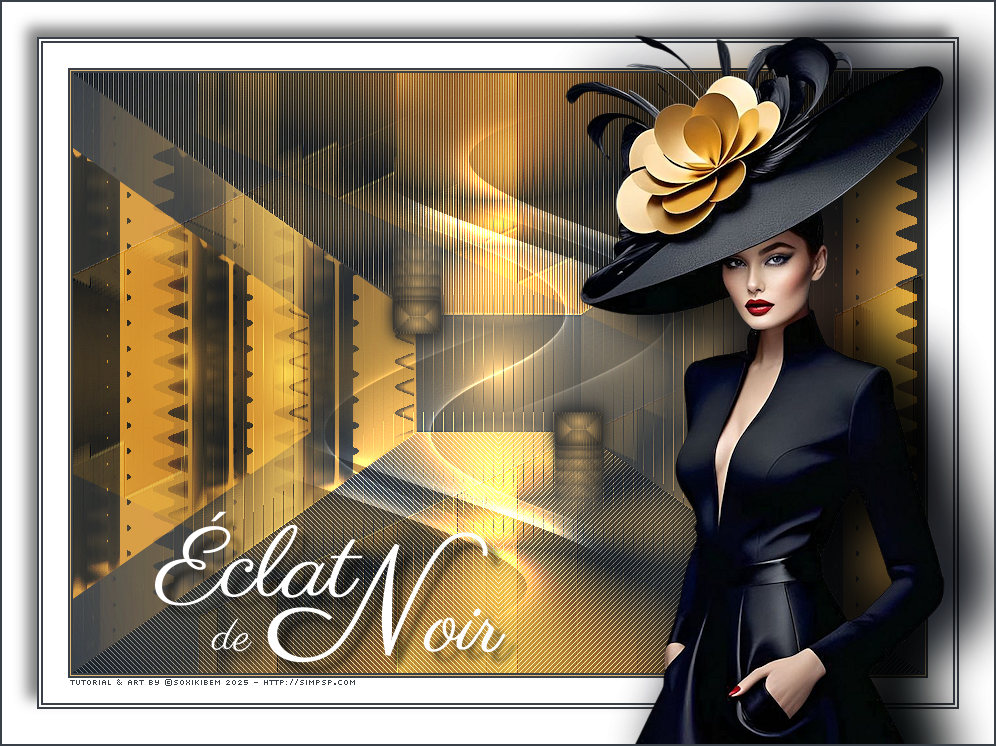
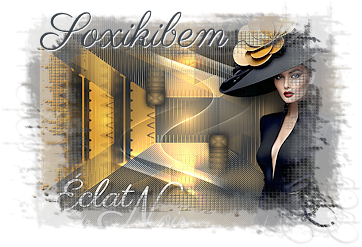
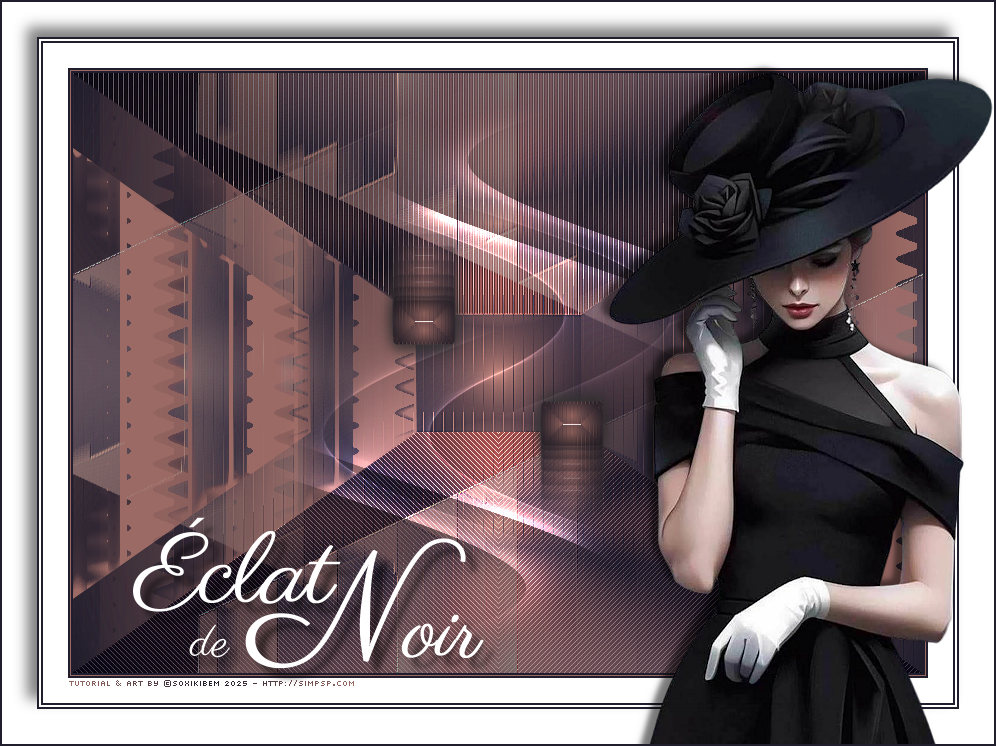
Éclat de Noir é a essência do requinte, onde cada sombra cintila com um brilho secreto.
TRADUÇÕES:
O Sim
PSP valoriza e reconhece o trabalho das tradutoras que tornam os
tutoriais acessíveis a diferentes idiomas.
MATERIAL: 1 Tube Principal ou Personagem à sua escolha Outros Materiais by Soxikibem
PLUGINS: Alien Skin | Eye Candy 5 Impact > Glass AP [Blur] > Blur - Bars AP [Innovations] > Distort-ShiftMesh AP [Lines] > SilverLining FM Tile Tools > Blend Emboss Mura's Meister > Copies Unlimited 2.0 > Bkg Designer sf10 I > ALFs Border Mirror Bevel
Tutorial elaborado no PSP 2022 Testado e revisado por Márcinha no PSP 2020.
Agradeço às Tubeiras pelos Tubes e Masks, pois sem eles não seria
possível criar este trabalho.
VÍDEO AULA
Se preferir acompanhar em vídeo no Youtube, clique no link
abaixo: Se este tutorial te inspirou: Deixe seu like Ative o sininho Compartilhe com outros amantes do PSP E deixe um comentário contando o que achou!
*Deletar a Marca D'água de todos os materiais. Cor 3: #ffffff
2 - Abra uma imagem
transparente de 850x600px.
3 - Effects > Distortion Effects > Warp.
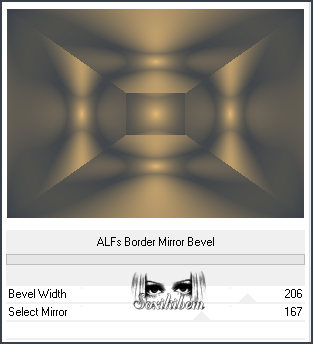
4 - Filters Unlimited 2.0 > Bkg Designer sf10 I > ALFs Border Mirror Bevel.
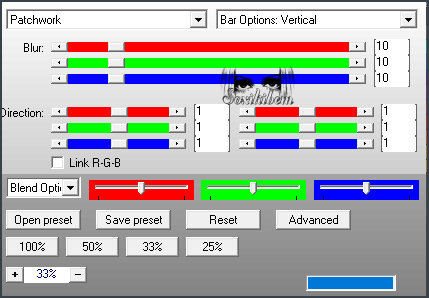
5 - Selections > Load/Save Selections > Load Selection From Disk: 302_Xiki1. Selections > Promote Selection to Layer. Selections > Select None. Plugin AP [Blur] > Blur - Bars.
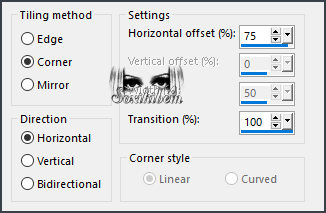
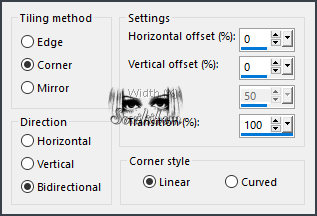
6 - Effects > Image Efects > Seamless Tiling. Layers > Properties > General > Blend Mode: Hard Light. *Na Segunda versão usei o Blend Lighten.
7 - Ativar a Layer Raster 1. Selections > Load/Save Selections > Load Selection From Disk: 302_Xiki1. Selections > Edit Selections. Image > Mirror > Mirror Horizontal. Selections > Desmarque Edit Selections. Selections > Promote Selection to Layer. Selections > Select None.
8 - Plugin AP [Blur] > Blur - Bars.
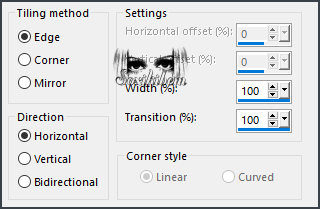
9 - Effects > Image Efects > Seamless Tiling.
10 - Effects > Image Efects > Seamless Tiling. Plugin FM Tile Tools > Blend Emboss: Deafult. Edit > Repeat Blend Emboss. Layers > Properties > General > Blend Mode: Overlay. *Na segunda versão usei o Blend Exclusion.
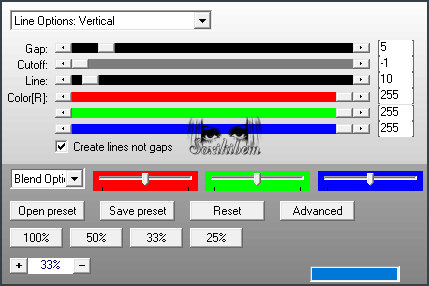
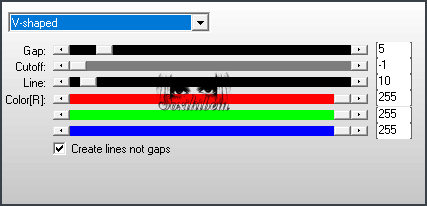
11 - Ativar a Layer Raster 1. Selections > Load/Save Selections > Load Selection From Disk: 302_Xiki2. Selections > Promote Selection to Layer. Selections > Select None. Plugin AP [Lines] > SilverLining. Effects > Edge Effects > Enhance. Layers > Properties > General > Blend Mode: Soft Light.
12 - Ativar a Layer Raster 1. Selections > Load/Save Selections > Load Selection From Disk: 302_Xiki2. Selections > Edit Selections. Image > Mirror > Mirror Vertical. Selections > Desmarque Edit Selections. Selections > Promote Selection to Layer. Selections > Select None. Plugin AP [Lines] > SilverLining. Layers > Properties > General > Blend Mode: Overlay.
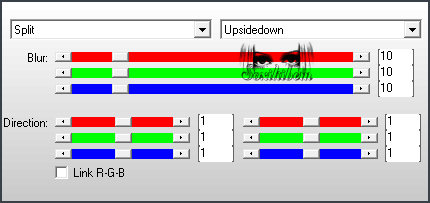
13 - Ativar a Layer Raster 1. Plugin AP [Distort] > Distort-ShiftMesh. Adjust > Sharpness > Sharpen More.
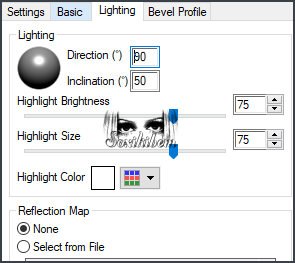
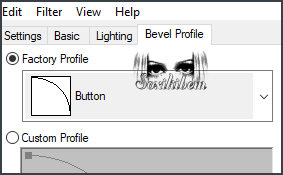
14 - Layers > Merge > Merge Visible. Selections > Load/Save Selections > Load Selection From Disk: 302_Xiki3. Selections > Promote Selection to Layer. Selections > Select None. Image > Resize: 30%, all layers desmarcado. Adjust > Sharpness > Sharpen. Plugin Alien Skin | Eye Candy 5 Impact > Glass.
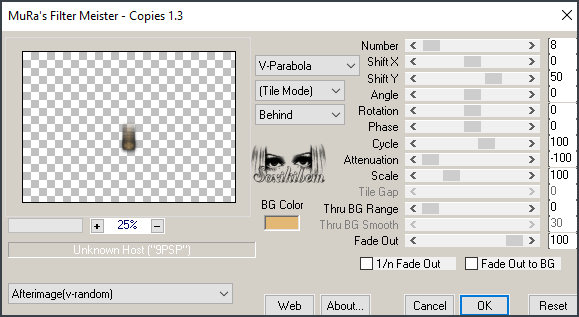
15 - Plugin Mura's Meister > Copies.
16 - Pick Tool: Position X: 300, Position Y: 148. Layers > Duplicate. Image > Mirror > Mirror Horizontal. Image > Mirror > Mirror Vertical.
17 - Edit > Copy no Decor302_Xiki. Edit > Paste as New Layer. Layers > Properties > General > Blend Mode: Dodge.
18 - Image > Add Borders > Symmetric: 2px com a cor do Foreground 1px com a cor do Background 2px com a cor do Foreground 25px com a cor 3 (branco) 2px com a cor do Foreground 2px com a cor 3 (branco) 2px com a cor do Foreground Selections > Select All. 35px com a cor 3 (branco)
19 - Effects > 3D Effects > Drop Shadow: -10, -10, 50, 20, cor preta. Selections > Select None. Edit > Copy no Tube Personagem. Edit > Paste as New Layer. Image > Resize, se necessário, no tube do material foi de 65%. Posicione e aplique efeito como preferir.
20 - Edit > Copy no TituloEN_Xiki. Edit > Paste as New Layer. Posicione como preferir.
21 - Image > Add Borders > Symmetric: 2px cor Foreground.
22 - Se você desejar
redimensione seu trabalho.
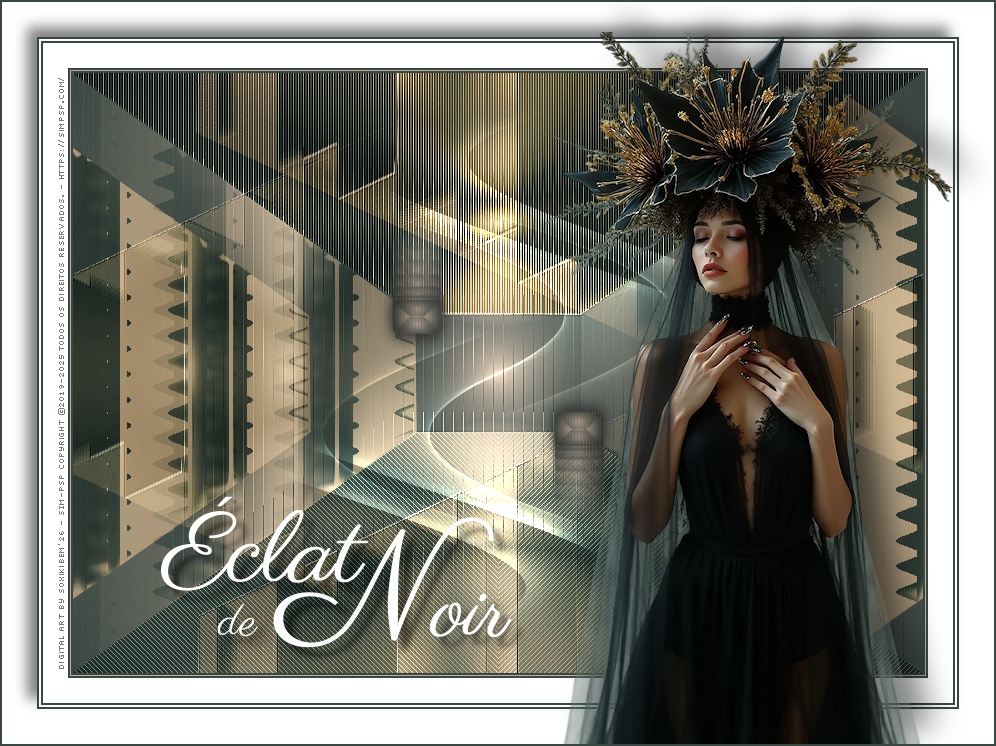
Versão 2:
Créditos Versão 1&2: Formatação, Arte Final e Tutorial by Soxikibem Tube Principal: Tubed by Pqna&Alice Outros Materiais: by Soxikibem
Versão 3:
Créditos Versão 3: Formatação, Arte Final e Tutorial by Soxikibem Tube Principal: Tubed by Soxikibem Outros Materiais: by Soxikibem
Sinta-se à vontade para enviar suas versões. Terei todo o prazer em publicá-las em nosso site.
Envie sua versão para o e-mail: soxikibem.simpsp@gmail.com
Soxikibem Redes Sociais
My notebooks on Amazon
My art collections on Redbubble
SimPSP Redes Sociais
|