|
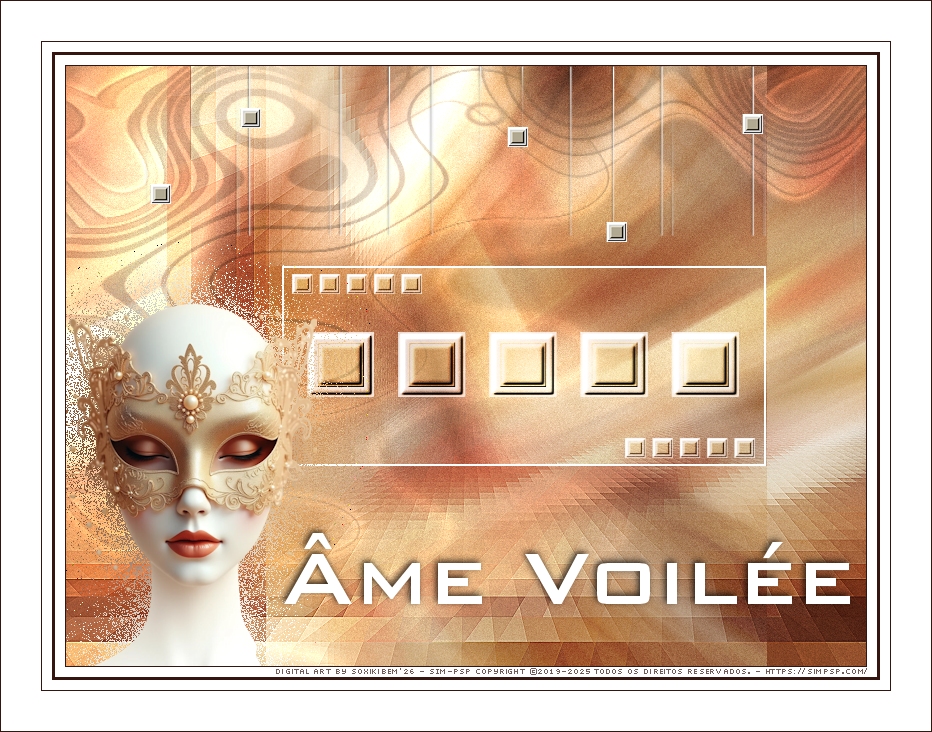
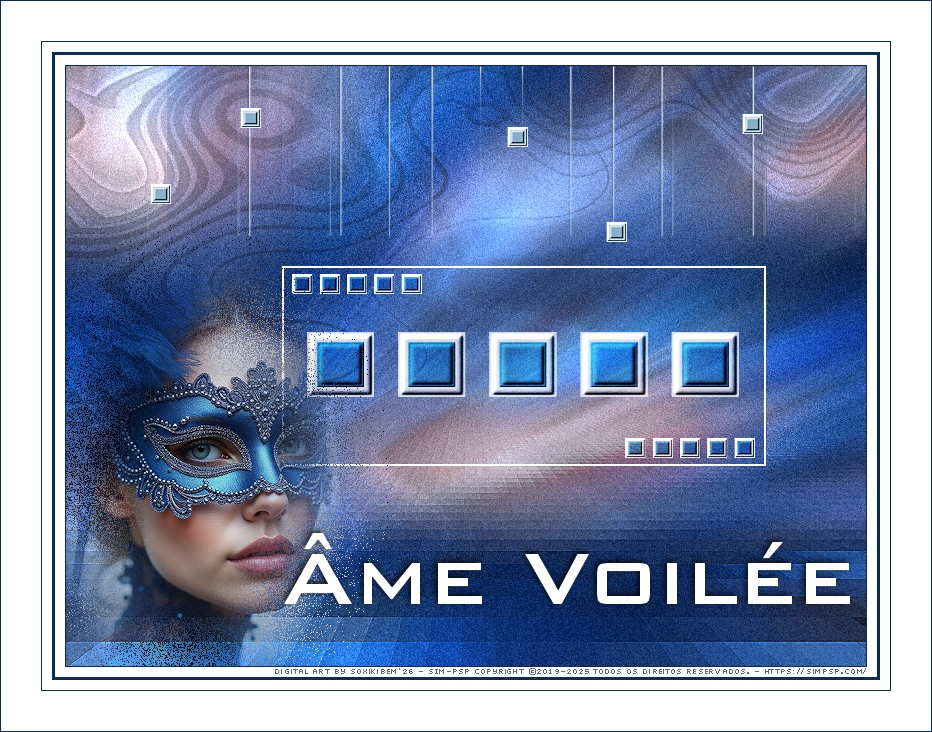
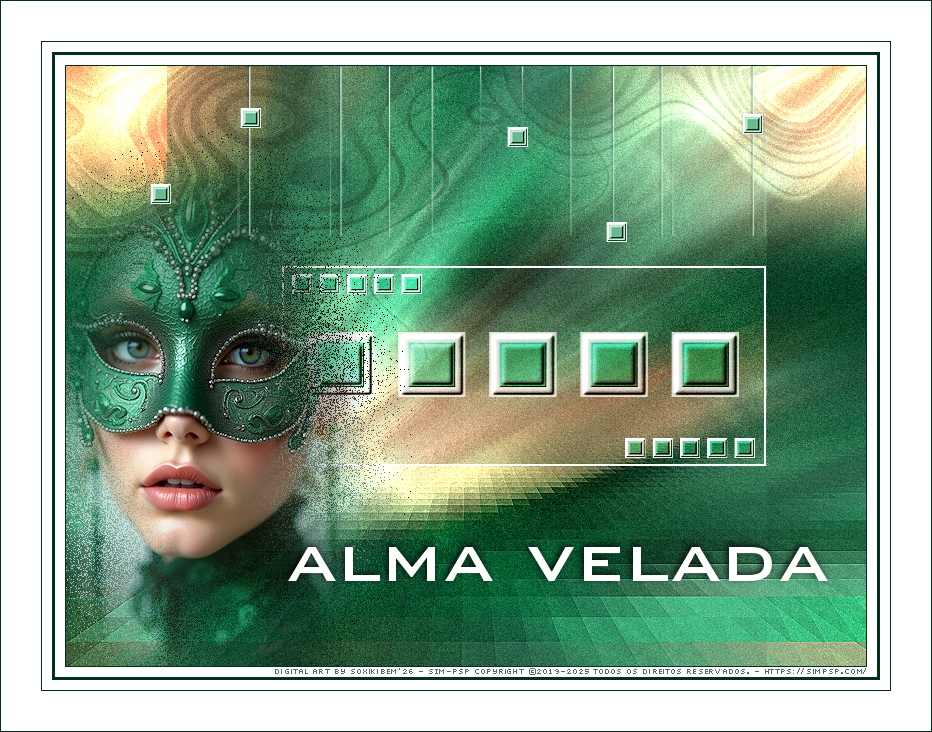
ALMA VELADA - Por trás da máscara, olhos fechados protegem segredos, emoções e a beleza silenciosa de uma alma que dança entre luz e sombra.
Âme Voilée - Derrière le masque, les yeux fermés préservent des secrets, des émotions et la beauté silencieuse d’une âme qui danse entre lumière et ombre.
TRADUÇÕES:
O Sim
PSP valoriza e reconhece o trabalho das tradutoras que tornam os
tutoriais acessíveis a diferentes idiomas.
MATERIAL: 1 Tube Principal ou Personagem à sua escolha Outros Materiais by Soxikibem
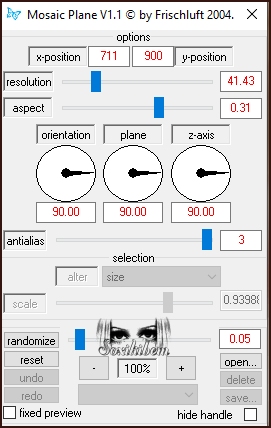
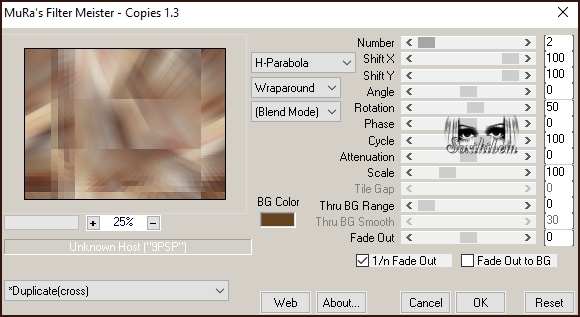
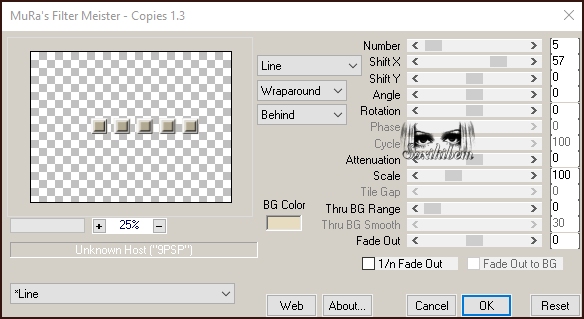
PLUGINS: Frischluft > Mosaic Plane V1.1 Mura's Meiter > Copies
Tutorial elaborado no PSP 2022 Testado e revisado por Inácia Neves no PSP 2022.
Agradeço às Tubeiras pelos Tubes e Masks, pois sem eles não seria
possível criar este trabalho.
VÍDEO AULA
Se preferir acompanhar em vídeo no Youtube, clique no link
abaixo: Se este tutorial te inspirou: Deixe seu like Ative o sininho Compartilhe com outros amantes do PSP E deixe um comentário contando o que achou!
TUTORIAL
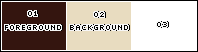
*Deletar a Marca D'água de todos os materiais. Cor 3: #ffffff
2 - Abra uma imagem
transparente de 800x600px. Selections > Select All.
3 - Edit > Copy no Tube ou Misted no tema Carnaval. Selections > Select None.
4 - Effects > Seamless Tiling: Default.
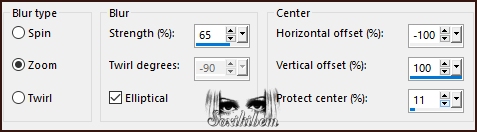
5 - Adjust > Blur > Radial Blur.
6 - Plugin Frischluft > Mosaic Plane V1.1
7 - Effects > Edge Effects > Enhance.
8 - Layers > Duplicate. Plugin Mura's Meister > Copies.
9 - Layers > Properties > General > Blend Mode: Hard Light. *Na segunda versão usei Dodge.
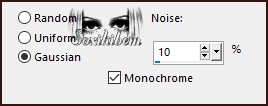
10 - Ativar a Layer Raster 1. Adjust > Add/Remove Noise > Add Noise.
11 - Ativar a Layer Copy of Raster 1.
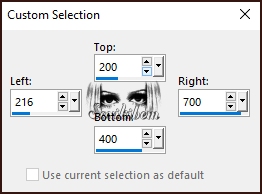
12 - Selection Tool > Custom Selections.
13 - Layers > New Raster Layer. Pintar com a cor 3 (branco).
14 - Selections > Modify > Contract: 2. Edit > Cut ou Delete no teclado. Selections > Select None.
15 - Layers > New Raster Layer. Selections > Load/Save Selections > Load Selection From Disk: 19Fest_xiki1.
16 - Pintar com a cor 3 (Branco). Selections > Modify > Contract: 10. Pintar com a cor do Background.
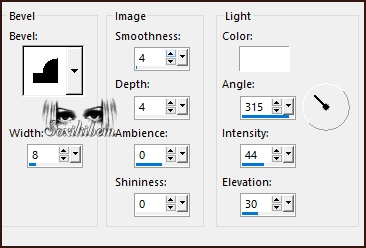
17 - Effects > 3D Effects > Inner Bevel.
Selections > Select None.
18 - Repetir o Inner Bevel com as mesmas configurações.
19 - Plugim Mura's Meister > Copies.
20 - Layers > Properties > General > Blend Mode: Hard Light.
21 - Layers > Duplicate. Image > Resize: 30%, all layers desmarcado. Adjust > Sharpness > Sharpen. Pick Tool: Position X: 226, Position Y: 208.
22 - Layers > Duplicate. Pick Tool: Position X: 559, Position Y: 372.
23 - Ativar a Layer Copy of Raster 1. Layers > New Raster Layer. Pintar com a cor 3 (Branco).
24 - Layers > New Mask Layer > From Image: P&A_Mask045. Layers > Merge > Merge Group. Layers > Properties > General > Blend Mode: Dodge - Opacity: 70%.
25 - Ativar a layer do topo, Copy (2) of Raster 3. Edit > Copy no Tube escolhido. Edit > Paste as New Layer.
26 - Resize se for necessário, aqui eu dei um resize de 40%. Adjust > Sharpness > Sharpen. Posicione como preferir, aqui eu posicionei: Pick Tool: Position X: 3, Position Y: 237.
27 - Layers > Duplicate. Adjust > Blur > Gaussian Blur: 30. Layers > Arrange > Move Down. Layers > Properties > General > Blend Mode: Dissolve ou outro que preferir.
28 - Ative a Layer do topo. Edit > Copy no 19Fest_titulo_Xiki ou 19Fest_tituloPT_Xiki. Edit > Paste as New Layer.
* Coloquei o titulo em francês e em português, mas também coloquei a fonte caso queira escrever o seu próprio titulo.*
29 - Pick Tool: Position X: 218, Position Y: 467.
30 - Effects > 3D Effects > Drop Shadow: -2, -2, 80, 10, cor preta.
31 - Edit > Copy no 19Fest_Decor1. Edit > Paste a New Layer.
32 - Pick Tool: Position X: 78, Position Y: 0.
33 - Image > Add Borders > Symmetric: 1px cor Foreground 10px cor branca 3px cor Foreground 10px cor branca 1px cor Foreground 40px cor branca 1px cor Foreground
34 - Edit > Copy no Credit-Tutorial_bySoxikibem. Posicione como preferir. Aplicar sua marca d'água ou assinatura.
Versão 2:
Versão 3:
Créditos Versões 1, 2 & 3: Formatação, Arte Final e Tutorial by Soxikibem Tube Principal: AI Generetade by Soxikibem Mask: by Pqna&Alice Outros Materiais: by Soxikibem
Sinta-se à vontade para enviar suas versões. Terei todo o prazer em publicá-las em nosso site.
Envie sua versão para
o e-mail:
SimPSP Rede Social
|