Tutorial created for Challenge 05 SimPsp
English
Translation by Elaine
Original Tutorial

PLUGINS AAFrame - Foto Frame
TUTORIAL
01 - Open the material in the PSP, duplicate and
close the original.
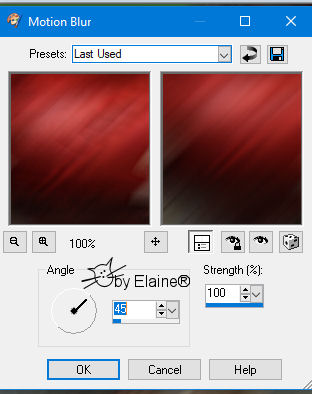
Layers > Invert Mask/Adjustment
06 -Layers> New Raster Layer.
Layers > Merge > Merge Group.
Layers > Invert Mask/Adjustment
Image > Mirror > Mirror Vertical. (Image > Flip)
Selections> Invert. Edit> Paste into Selection. 20 - Effects > Plugins > AAFrame > Foto Frame 
Edit > Repeat AAFrame > Foto FrameSelections > Select None.
21 - Edit> Copy on the main tube.
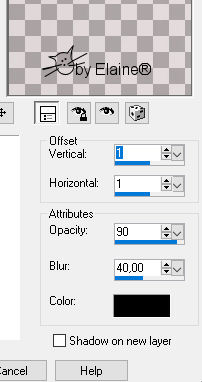
Edit> Paste a New Layer. Position to the left at the top. Effects> 3D Effects> Drop Shadow as you prefer. 23 - Image> Add Borders: 1px - color # 3d6e2d - foreground 24- Apply your watermark or signature. File> Export> JPEG Optimizer. 
Credits:
Feel free to submit your versions.
|