|
TRADUÇÕES:
O Sim
PSP valoriza e reconhece o trabalho das tradutoras que tornam os
tutoriais acessíveis a diferentes idiomas.
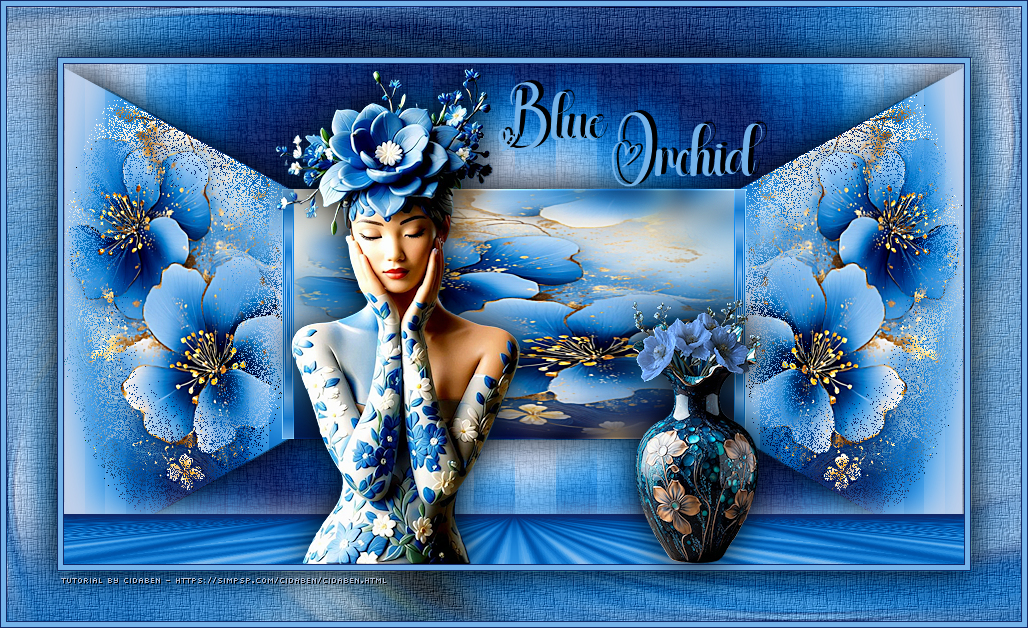
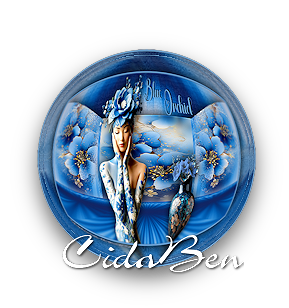
MATERIAL: 1 Tube Principal ou Personagem à sua escolha 1 Imagem Floral JPG à sua escolha 1 Misted à sua escolha. 1 Tube Decorativo à sua escolha Outros Materiais by CidaBen
PLUGINS:
Mehdi > Wavy lab 1.1 MuRa's Meister > Perspective Tiling.
Tutorial elaborado no PSP 2022 Testado e revisado por Márcinha no PSP 2020.
Agradeço às Tubeiras pelos Tubes e Masks, pois sem eles não seria
possível criar este trabalho.
*Deletar a Marca D'água de todos os
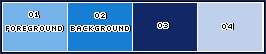
materiais. Cor 3: #122866 Cor 4: #bed0ea
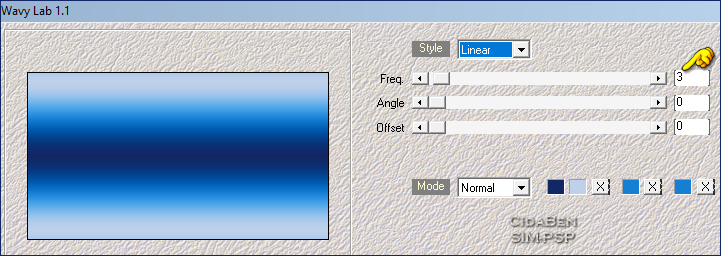
2 - Abra uma imagem transparente de 900x500px. Effects > Plugins > Mehdi > Wavy Lab
1.1.
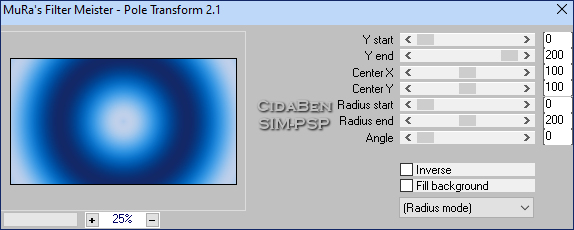
3 - Layer > Duplicate. Effects > Plugins > MuRa's Meister > Pole Trasform 2.1.
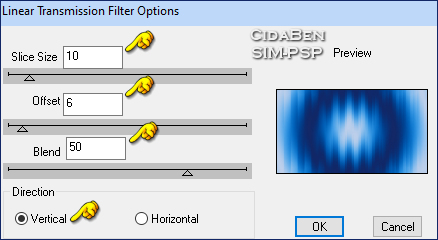
4 - Effects > Plugins > dsb flux > Linear Transmission.
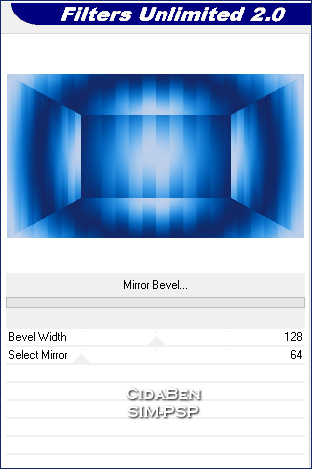
5 - Effects > Plugins > Filters Unilimted 2.0 > Alf’s Border FX > Mirror Bevel.
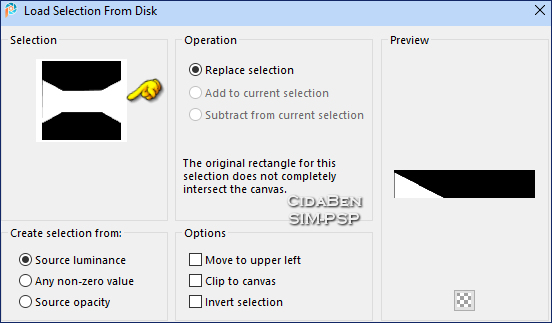
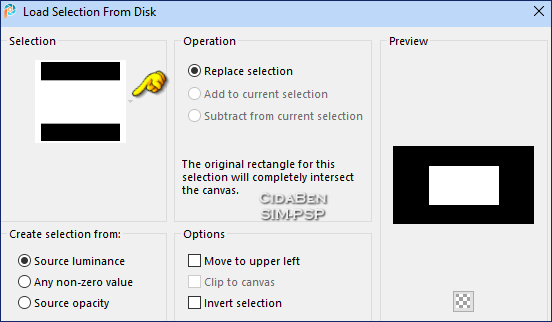
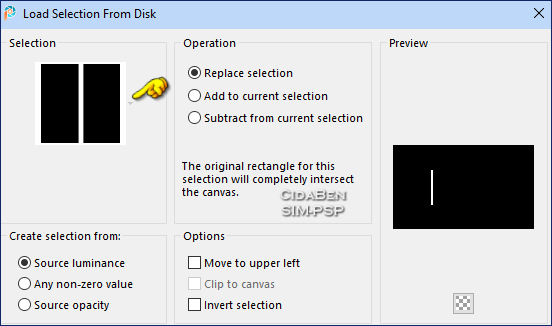
6 - Selections > Load/Save Selections > Load Selection From Disk: 28_CBen1.
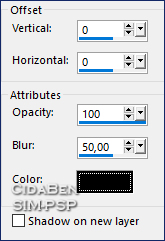
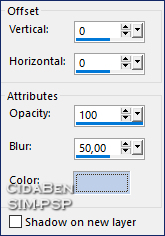
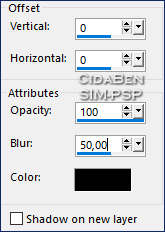
Selections > Promote Selection to Layer. Selections > Select None. Effects > 3D Effects > Drop Shadow: cor #000000 (preto)
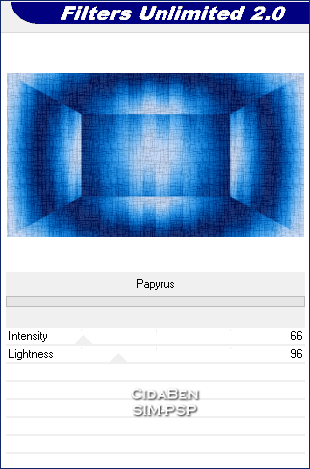
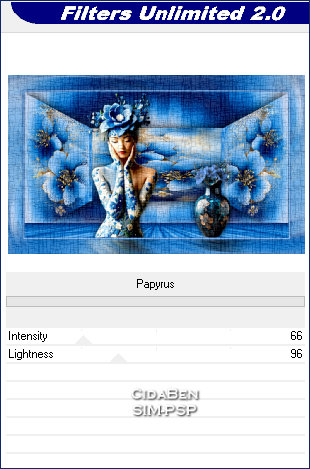
7 - Ativar a Layer > Copy of Raster 1. Effects > Plugins > Filters Unilimted 2.0 > Paper Texture > Papyrus.
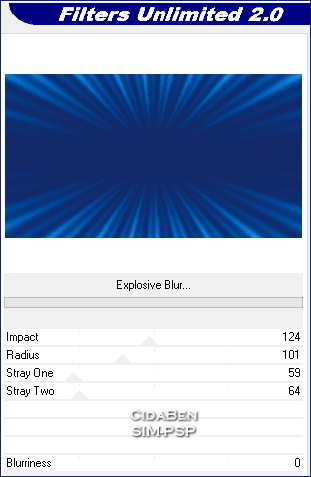
8 - Ativar a Layer Raster 1. Layers > Arrange > Bring to Top. Effects > Plugins > Filters Unilimted 2.0 > Déformation > Explosive Blur.
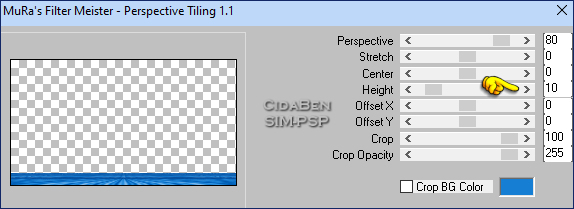
9 - Effectss > Plugins > MuRa's Meister > Perspective Tiling.
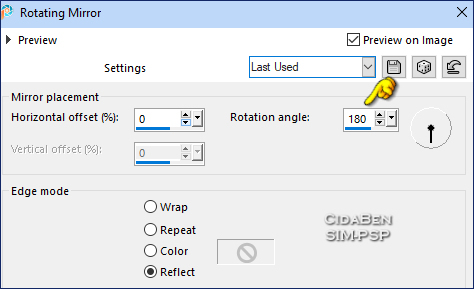
Effects > Reflection Effects > Rotating Mirror.
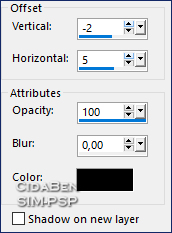
Effects > 3D Effects > Drop Shadow: Cor 4 ##bed0ea.
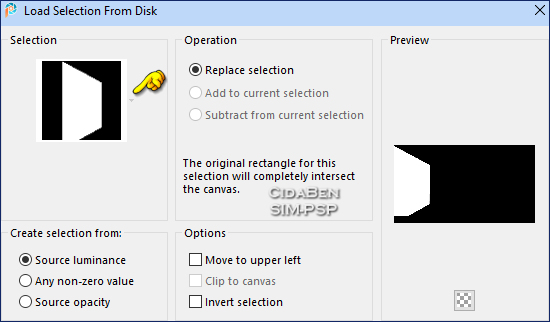
10 - Ativar a Layer Promoted Selection. Selections > Load/Save Selections > Load Selection From Disk: 28_CBen2.
Layers > New Raster Layer. Edit > Copy > Imagem Floral_JPG_CBen26. Edit > Paste Into Selection. ***Mantenha a seleção.
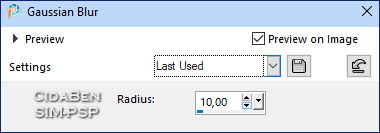
11 - Adjust > Blur > Gaussian Blur > Radius: 10.
Edit > Copy > MistedFloral28_CBen26. Edit > Paste Into Selection. Selections > Select None. Adjust > Sharpness > Sharpen More.
12 - Selections > Load/Save Selections > Load Selection From Disk: 28_CBen3.
Layers > New Raster Layer. Edit > Copy > Misted Floral28J_CBen26. Edit > Paste Into Selection. Selections > Select None.
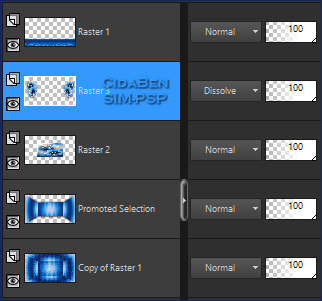
13 - Layers > Duplicate. Image > Mirror > Mirror Horizontal. Layers > Merge > Merge Down. Adjust > Sharpness > Sharpen More. Layers > Properties > Blend mode: Dissolve > Opacity 100%.
14 - Posição das Layers:
15 - Layers > New Raster Layer. Selections > Load/Save Selections > Load Selection From Disk: 28_CBen4.
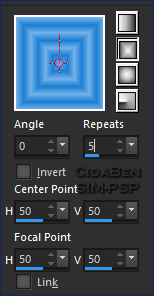
Pintar a seleção com o gradiente Retangular: Angle 0 > Repeats 5, com as cores Foreground e Background.
Selections > Select None. Layers > Duplicate. Image > Mirror > Mirror Horizontal. Layers > Merge > Merge Down. Adjust > Sharpness > Sharpen.
16 - Ativar a Raster 1 (Topo). Edit > Copy no Tube
Personagem.
17 - Edit > Copy no Decor28. Edit Paste As New Layer. Image > Resize, se necessário, no
Decor do material foi de 57%.
18 - Image > Add Borders > Symmetric: 1px com a Cor 3 (#122866). 5px com Cor Foreground (#74b3ea) Edit > Copy. Selections > Select All.
19 - Image > Add Borders > 50
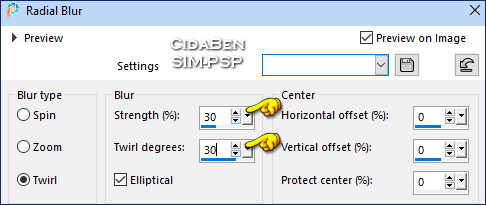
px > Symmetric marcado > com qualquer cor. Adjust > Blur > Radial Blur.
20 - Effects > Plugins > Filters Unilimted 2.0 > Paper Texture > Papyrus.
Effects > Plugins > FM Tile Tools > Blend EmBoss: Default. Selections > Invert. Selections > Select None.
21 - Edit > Copy
no Título28_CBen26
22 - Image > Add Borders > Symmetric: 1px com a Cor 3 (#122866). 5px - Cor
Foreground (#74b3ea)
22 - Edit > Copy no Credit-Tutorial_byCidaBen.
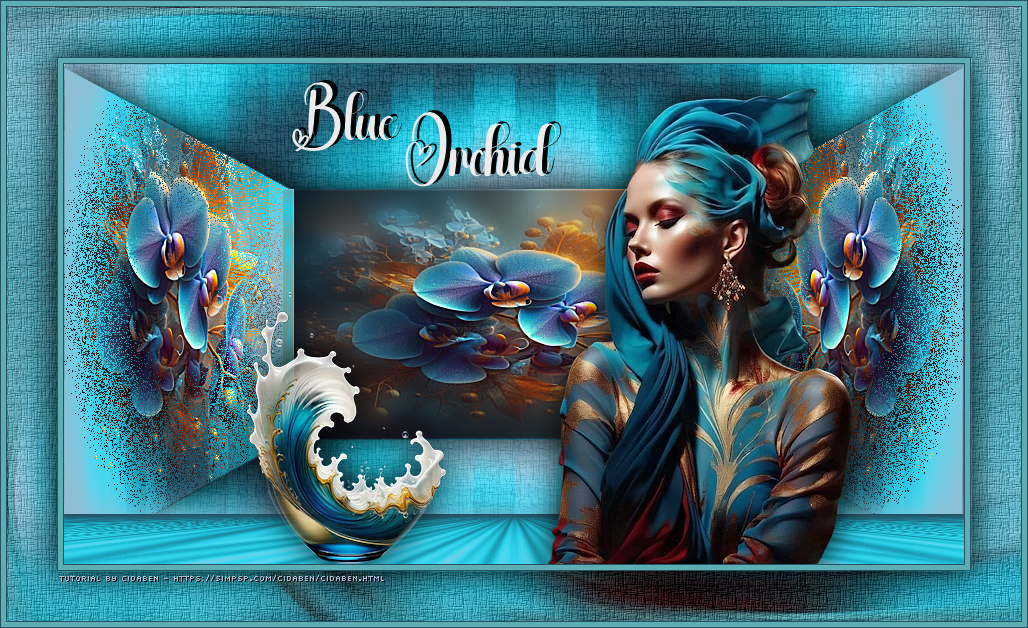
Posicione como preferir. Aplicar sua marca d'água ou assinatura.
Versão:
Créditos: Formatação, Arte Final e Tutorial by CidaBen Materiais: by CidaBen Araçatuba/SP - Brasil
Sinta-se à vontade para enviar suas versões. Terei todo o prazer em publicá-las em nosso site.
Envie sua versão para o e-mail:
CidaBen Redes Sociais
SimPSP Redes Sociais
|