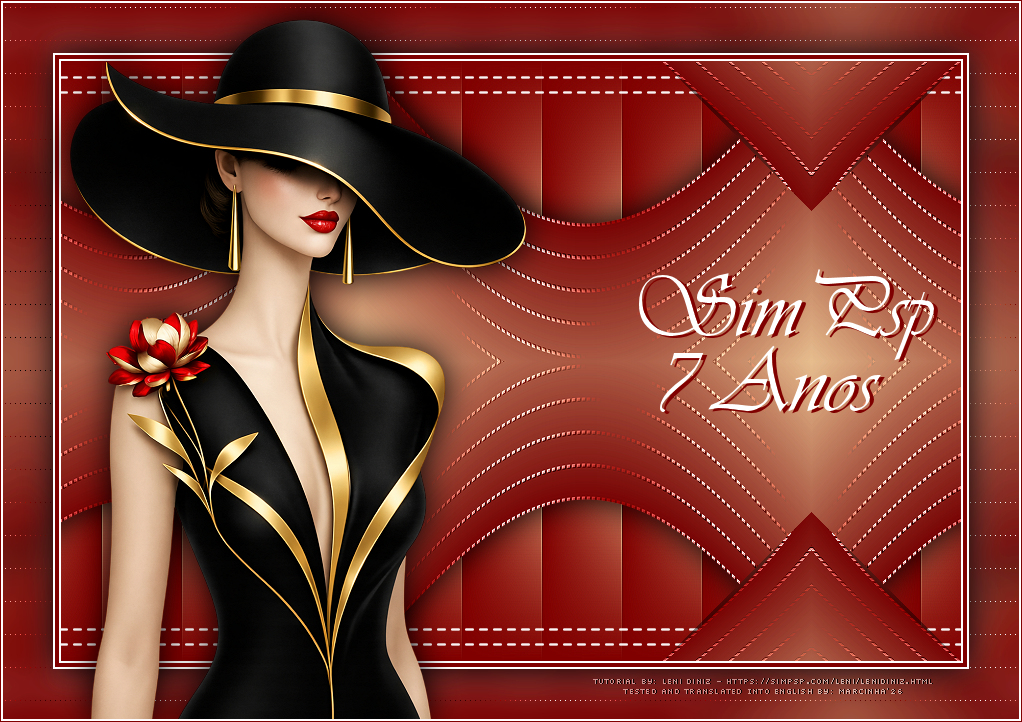
Translated into
English by Márcinha
Original Tutorial:

|
IMPORTANT:
Sim PSP and its tutorial authors wish to make the following request:
- Please keep the tutorial as
originally written and refrain from adding
effects that are not requested;
- The use of other images is allowed and
encouraged; however, please do not alter the
content of the original tutorial;
- Please acknowledge and give proper credit to
those who write tutorials, create translations,
and provide materials.
Note:
This tutorial was written by Leni
Diniz and is her sole responsibility.
Any resemblance to other tutorials is purely coincidental.
Sim PSP only hosts and shares this content so that everyone can access and enjoy it.
Sincerely,
SIM PSP and Leni Diniz |
|
SUPPLIES:
Main Tube of your choice
Other supplies by Leni Diniz

Plugins:
Len K's > Zitah
FM Tiles Tools > Blend Emboss
Simples > Pizza Slice Mirror
Colors

#800000 Foreground (dark color)
#fbcd99 Background (light color)
#ffffff extra color
Tutorial created in PSP 2020
Translated Into English
by Márcinha in PSP 2020
*********
I thank the Tube artists for the Tubes and Masks, as without them this work would not have been possible.
When sharing or using them, please keep the Tubes intact and preserve the proper credits.
Feel free to adjust the blends according to the colors you are using.
Colorize the decorative elements whenever necessary to match your chosen colors.
********
TUTORIAL
01- Open the supplies in PSP, duplicate and close the originals.
*Remove the watermark from all supplied
materials.
02-
Open a new transparent image 900x600.
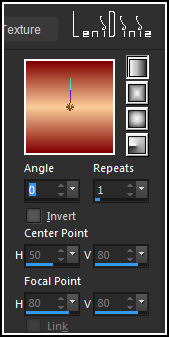
Flood Fill with a Linear Gradient using the chosen colors.
Angle: 0 - Repeats: 1 - Invert: unchecked
03-
Layers > Duplicate.
Hide the visibility of Layer Copy of Raster 1.
Activate Layer Raster 1.
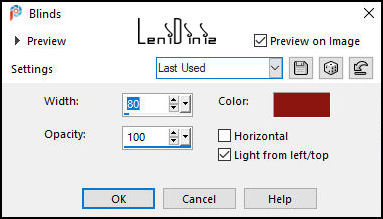
04- Effects > Texture Effects > Blinds:
Color:
Foreground color #800000
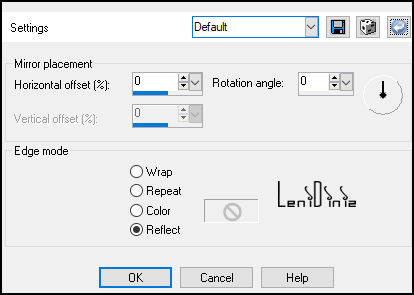
05- Effects > Reflection Effects > Rotating Mirror:
Default
06- Effects > Image Effects > Offset:
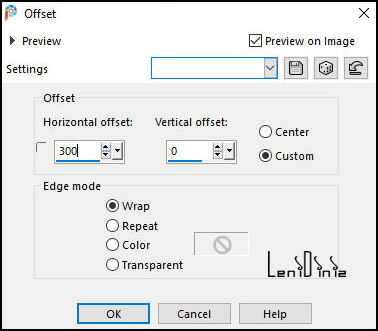
07- Effects > Edge Effects > Enhance.
08- Edit > Copy on
decor_leni_7anos_sim.
Go back to your work...
Edit > Paste As New Layer.
Effects > Plugins > FM Tiles
Tools > Blend Emboss:
Default
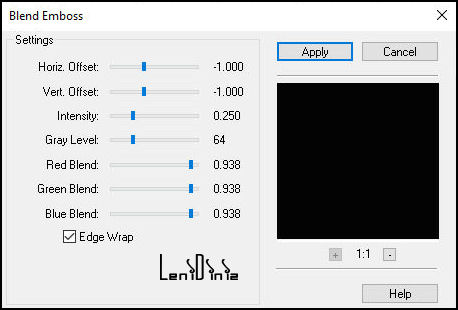
09- Show and activate
Layer Copy of
Raster 1.
Effects > Plugins > Len K's > Zitah:
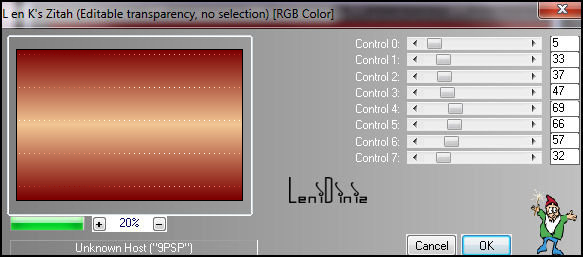
10- Effects > Edge Effects > Dilate.
Effects > Plugins > FM Tiles Tools > Blend Emboss: Default
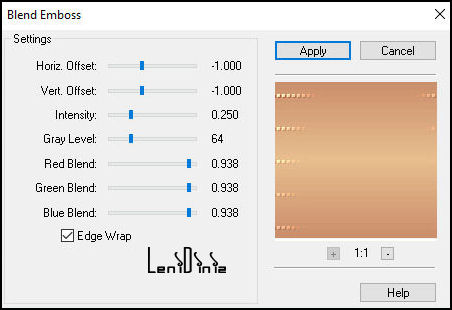
11- Effects > Distortion Effects > Wave:
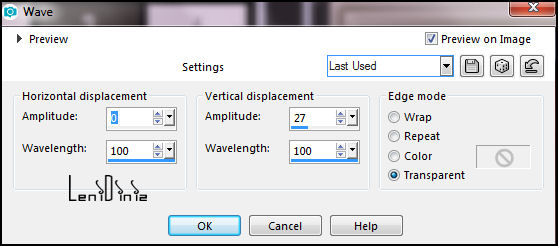
12- Effects > 3D Effects > Drop Shadow: 0, 0, 100, 50. color #000000
(black)
13- Effects > Plugins > Simples > Pizza Slice Mirror:
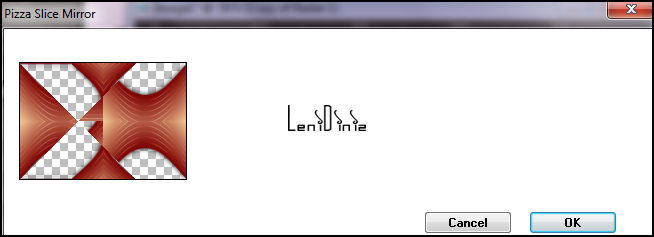
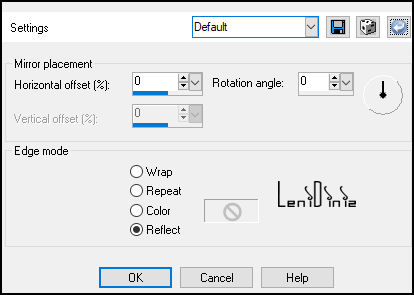
14- Effects > Reflection Effects > Rotating Mirror:
Default
15- Effects > Image Effects > Offset:
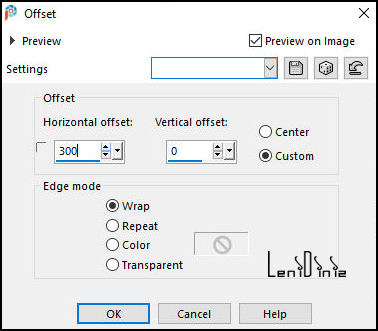
16- Edit > Copy Special > Copy Merged.
17- Image > Add Borders:
2px - Symmetric - Color: #ffffff (white).
4px - Symmetric - Color: #800000 (dark Foreground color).
2px - Symmetric - Color: #ffffff (white).
18- Selections > Select All.
Image > Add Borders > 50px - Symmetric - any color.
Selections > Invert.
Edit >
Paste Into Selection.
19- Adjust > Blur > Gaussian Blur: 15
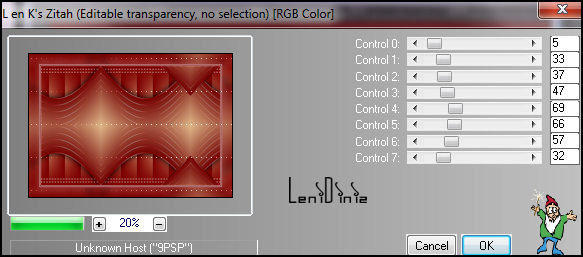
20- Effects > Plugins > Len K's > Zitah: apply 2 times
21- Selections > Invert.
Effects > 3D Effects > Drop Shadow: 0, 0, 100, 50. color #000000
Selections > Select None.
22-
Edit > Copy tube
LeniDiniz-2565muheres or your choice.
Go back to your work...
Edit > Paste As New Layer.
Image > Resize if necessary: the material tube was resized to 51%.
Image > Mirror > Mirror Horizontal.
Position to the left.
Effects > 3D Effects > Drop Shadow: as you prefer.
23- Edit > Copy titulo_leni_7anos_sim.
Go back to your work...
Edit > Paste As New Layer.
With the Pick Tool:
Position X: 636 - Position Y: 266
Effects > 3D Effects > Drop Shadow:
2, 4, 100, 0. color: #800000 (Foreground)
24- Image > Add Borders:
2px - Symmetric - Color: #ffffff (white).
1px - Symmetric - Color: #800000 (Foreground).
25- Edit
> Copy Credit-Tutorial_byLeniDiniz.

Position as you prefer.
Apply your watermark or signature.
File > Export > JPEG Optimizer...
VERSION:
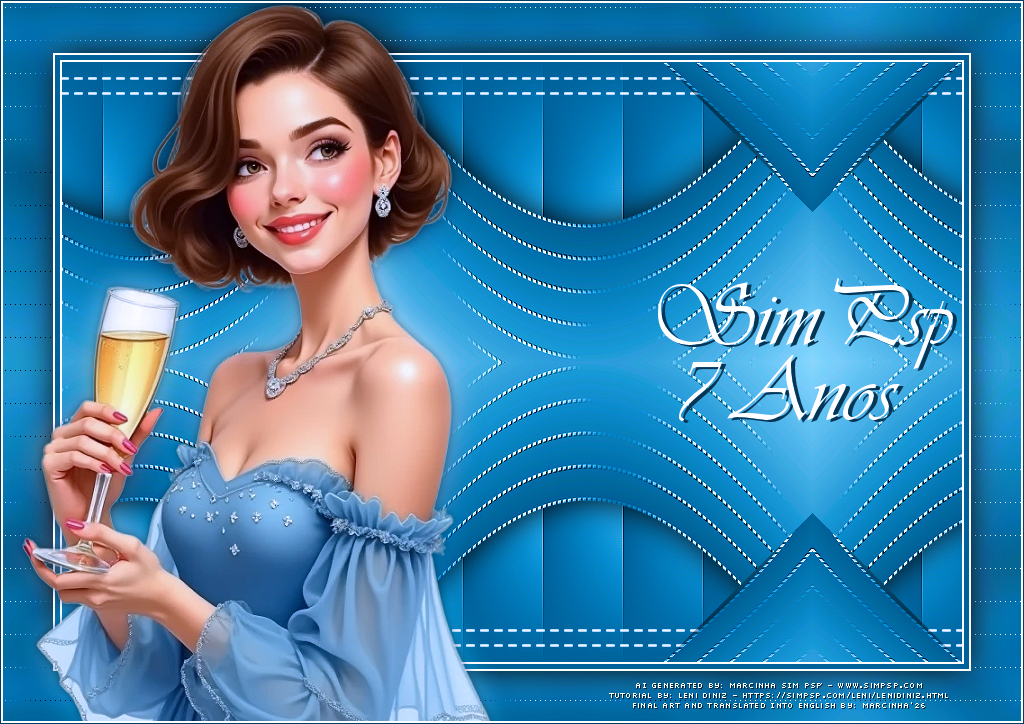
Credits:
Formatting, Final Artwork, and English Translation by
Márcinha
Tutorial by: Leni
Diniz - Main Tube:
AI Generated by
Marcinha SIM PSP
Prints: by Leni
Diniz
Feel free to send your versions.
We will be happy to publish them on our website.
Send your version to:
familia.olgador@gmail.com


SIM PSP Social Media


|
This tutorial was created by Leni
Diniz in June 2026, exclusively for the website https://simpsp.com
Tutorial tested, reviewed and translated into English by Márcinha in June 2026.
The
content of this tutorial is the sole responsibility of
the author.
Sim PSP only hosts and shares it for publication
purposes.
Partial or full reproduction is prohibited without the
author's permission.
Please respect the credits and encourage the creation of
new content! |
|